|
|
![]() |
|
|
Top | #1 |
|
The Boss
Joined: December 2001
Location: Birmingham, UK
Posts: 1,730
Reputation: 90
Power: 145 |
On all, Fedora Core 2 & 3 installs... with SCSI drive in VMWare.. it installs fine.. but when booting for first time it doesn't work.. it says: Kenerl Panic: VFS: Unable to mount root fs on unknown-block(0,0) I can't work out how to fix that.. also tried FC2 on IDE and i get the same error after it has installed ![]() ---------------------------- Mandrake 10.1 - downloaded about 5 copies of this now.. tried DVD.. Mini.. and 3x CD's... all of them keep coming up with errors on multiple packages.. around 90% of them i'm guessing.. ![]() ---------------------------- Would be greatful if anyone has any ideas in regards to the Kernel Panic.. i can supply more info at request (If u instruct me how to get it :P) MdSalih |
|
|
|
|
|
Top | #2 |
|
Glaanies script monkey
Joined: February 2003
Location: Chicago
Posts: 2,725
Reputation: 1520
Power: 155 |
That kernel panic basically is telling you it can't find the root partition. That block 0,0 is the first partition on the first IDE drive, which if you are using VMWare, is wrong, so your bootloader is configured wrong. I have no experience with VMWare, so I'm not sure exactly what drive you are using or how that works.
If you are going to install it on a seperate partition/drive, why not just dual boot? |
|
|
|
|
|
Top | #3 |
|
OSNN Junior Addict
Joined: January 2004
Posts: 30
Reputation: 10
Power: 103 |
Installing a Linux Guest in VMware is really easy, but can be confusing the first couple of times. I currently have 2 different distro's installed as guests on a WinXP SP2 Host running VMware 4.5.2
To be able to help you though, I have to ask a few questions. 1. What version of VMware are you running? 2. Are you trying to install the guest OS using a virtual drive or are you pointing to a physical drive? Next I would like to mention that it has been my experience to stay away from configuring the guest OS to use SCSI until you become more familiar with the workings of that particular guest OS. Just custom configure your guest to use IDE, try to set aside at least 256megs of ram for a modern Linux Distro. And dont try installing the VMware tools on any of the new Linux distro's that make use of X.org instead of XFree86 for the X Windows Server. You will need to do some custom patching at this time as the VMware tools do not currently support that particular configuration. You will experience this problem with Fedora 3, SUSE 9.2, etc... I'm sure we can get you up and running, it just might require a few posts in here. CipheR |
|
|
|
|
|
Top | #4 |
|
The Boss
Joined: December 2001
Location: Birmingham, UK
Posts: 1,730
Reputation: 90
Power: 145 |
Thanks..
I'm currently running V 4.0.0 Build 4460 .. its a virtual disk.. gave it 8 GB to play with... MdSalih |
|
|
|
|
|
Top | #5 |
|
OSNN Junior Addict
Joined: January 2004
Posts: 30
Reputation: 10
Power: 103 |
Great, I would suggest upgrading to 4.5.2 though ( It's a free upgrade from 4.0 ) which will get you more up to date and better supported. The issue you are currently experiencing was very common on 4.0.0 and most have reported no further problems after making the upgrade.
SO, basically, you probably weren't doing anything wrong at all, there was just an issue with the version your running... lol... Gotta love banging your head on the wall for nothing ![]() If you continue to have problems after the upgrade, let me know. CipheR |
|
|
|
|
|
Top | #6 |
|
The Boss
Joined: December 2001
Location: Birmingham, UK
Posts: 1,730
Reputation: 90
Power: 145 |
Originally Posted by CipheR
Thanks.. just thats a great help.. isntalled 4.5.2 - and then mandrake on top...
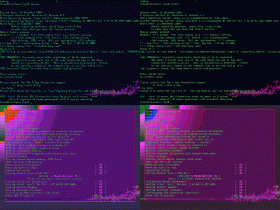
However, now i'm having a problem of starting X - see attachement of what i see when I type in startx - its at that resolution too.. and split into four screens. I can't make out the errors on the screen ![]() Any ideas? Might have something to do with resolution... is there an attrib to startx to set resolution? /me google's MdSalih |
|
|
|
|
|
Top | #7 |
|
Glaanies script monkey
Joined: February 2003
Location: Chicago
Posts: 2,725
Reputation: 1520
Power: 155 |
where's the attachment?
|
|
|
|
|
|
Top | #8 |
|
The Boss
Joined: December 2001
Location: Birmingham, UK
Posts: 1,730
Reputation: 90
Power: 145 |
Originally Posted by j79zlr
Sorry.. forgot to add it.. added now.
MdSalih |
|
|
|
|
|
Top | #9 |
|
Glaanies script monkey
Joined: February 2003
Location: Chicago
Posts: 2,725
Reputation: 1520
Power: 155 |
ok, you need to configure X
If you are using XFree, run xfree86config or if you are using Xorg, run xorgconfig and answer the questions. |
|
|
|
|
|
Top | #10 |
|
The Boss
Joined: December 2001
Location: Birmingham, UK
Posts: 1,730
Reputation: 90
Power: 145 |
hmmm.. i can't make out the questions on the screen..as the text is undreable
- too small/pixelated - any ideas how to change it to a single screen.. as appose to the 4 it currently shows?MdSalih |
|
|
|
|
|
Top | #11 |
|
Glaanies script monkey
Joined: February 2003
Location: Chicago
Posts: 2,725
Reputation: 1520
Power: 155 |
Don't know, never used vmware. Personally, if this is your first endeavour into linux, you are adding another step to the learning curve. I would try running a live CD like Knoppix to get used to it, or dual boot it.
|
|
|
|
|
|
Top | #12 |
|
*
Joined: December 2001
Location: USA
Posts: 6,496
Reputation: 2808
Power: 220 |
xorgconfig is a command line utility last i checked. If you are online ill help you out with it after i get home from school.
|
|
|
|
|
|
Top | #13 |
|
The Boss
Joined: December 2001
Location: Birmingham, UK
Posts: 1,730
Reputation: 90
Power: 145 |
Originally Posted by X-Istence
Thanks.. muchly appreciated..
Just tried installing the mini version.. same thing... reinstalled full mandrake from DVD.. same thing.. its not liking my video/screen set up i think. The install is fine.. its just getting X & the screen working which is the problem i believe. MdSalih |
|
|
|
![]() |
| Bookmarks |
| Thread Tools | |
|
|
Similar Threads
|
||||
| Thread | Thread Starter | Forum | Replies | Last Post |
| vista and vmware/ virtual pc | VenomXt | Windows Desktop Systems | 6 | June 16th, 2006 11:21pm |
| Linspire on Vmware | cpomd | Linux & BSD | 2 | May 29th, 2004 12:01am |
| Xfree86 in VMWare? | SPeedY_B | Linux & BSD | 9 | April 10th, 2003 2:48am |
| vmware and a new partition | canadian_divx | Linux & BSD | 11 | October 11th, 2002 3:45am |
| Vmware | Jz1397-5 | Linux & BSD | 3 | July 15th, 2002 6:39pm |