Reply
Old March 5th, 2004 Top | #1

OSNN Subscriber  
muzikool's Avatar
Act your wage.
Joined: December 2001
Location: Texas, USA Reputation: Yes, please.
Posts: 7,623
Reputation: 2900
Power: 206

Default Samurize Tutorials, Help, and Configs

Samurize has made its way onto many of the desktops in the monthly screenshots thread, so I think it would be great to have a thread that discusses the program and its abilities. I think that it's fitting in this section of the forums because of how it incorporates graphics and design to add to the look of your OS.

This should be a thread that we can all learn from. I've been using Samurize for about 6 months, and I am still learning new ways to take advantage of it. Tutorials, tips, and questions in this thread can range from simple to complex, because I think we will have users of all different experience levels.

Starting off, Samurize can be downloaded from here: http://www.samurize.com/modules/mydo...wcat.php?cid=1
Go get it if you don't have it already, and let's get started!
muzikool is offline   Reply With Quote
Old March 5th, 2004 Top | #2

OSNN Subscriber  
muzikool's Avatar
Act your wage.
Joined: December 2001
Location: Texas, USA Reputation: Yes, please.
Posts: 7,623
Reputation: 2900
Power: 206

Default It's Raining in Baltimore...

I'll start this off with a simple and popular script...

There are several different weather scripts available, but one of the most updated (and my favorite) is DesktopWeatherXML. The script downloads two XML files and updates them regularly through weather.com without Samurize having to restart to update the script.

You can get DesktopWeatherXML 1.4 here:
http://www.samurize.com/modules/mydo...?cid=9&lid=633

Unzip the download and notice the directory structure in the zip file. The same directories exist in the Samurize folder under Program Files, so I wouldn't suggest replacing them. Instead, copy the contents of each folder into the corresponding folder in the Samurize directory.

After you've copied all of the files over, go into the Scripts folder and open DesktopWeatherXML.vbs. I prefer to open the file with Wordpad to edit it, but you can use Notepad or Visual Basic if you prefer. You need to edit the setting for "const LOCID." To find what to enter there, go to http://xoap.weather.com/search/search?where=XXXXX. The XXXXX should be replaced with the name of your city in the address bar. The page will load with a locid that looks something like this: "USTX1413," and that is what you put into the script. No other changes need to be made unless you want to change the unit of temperature measurement or the number of days in the forecast (5 days is default). However, if your Samurize directory resides somewhere besides C:\, then you need to change the directory path you see just below the settings mentioned above. Once those things are set, save and close the config.

Alright, you are almost set to go. If your installation is on C:\, then you can skip this step altogether. If you had to change your directory structure in the script, then you will need to do the same in the Config file. Browse to the Configs folder and open DesktopWeatherXML.ini with Wordpad. Do a find for "C:\" and replace each instance with the drive letter that Samurize resides on. Save and close the file.

Finally, browse to Skins\DesktopWeatherXML\fonts in the Samurize directory. Drag the two fonts into the Fonts folder (C:\Windows\Fonts) to install those fonts. You might already have them installed, but you need to do this just to make sure.

That's it! Start Samurize and your weather config should load! If it doesn't, then right-click on the Samurize icon, choose Select Config file, and select the weather config.

muzikool is offline   Reply With Quote
Old March 5th, 2004 Top | #3

OSNN Subscriber  
muzikool's Avatar
Act your wage.
Joined: December 2001
Location: Texas, USA Reputation: Yes, please.
Posts: 7,623
Reputation: 2900
Power: 206

Default A Free Config!

When I was starting out I wanted a good completed config to get me going and help me understand how Samurize works. I have seen some requests for configs lately, so I found a good one that I actually used as a model for the one I'm using now. You can get it here:
The link died and I don't have all of the original file. I have attached most of what was included, which should get you well underway to creating something similar to what is pictured. Continue reading below for instructions on how to get this config up and running.

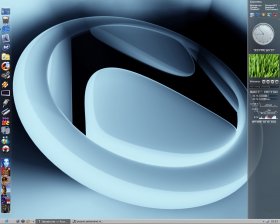
The config is made to look like the sidebar in Windows Longhorn. I attached an example of how it looks below (not my config). Features of this config are the time, date and uptime, an analog clock, program and favorites links, hard disk, cpu, memory, and network activity meters, a winamp plugin, and an image slideshow.

To get this config going, unpack the contents of the compressed file into the corresponding folders of your Samurize directory. The ZIP file is structured much like your Samurize directory, but I don't recommend simply overwriting the old folders with the new ones. Instead, place the contents of each folder from the ZIP file into the corresponding folder in your Samurize directory.

If your Samurize directory is not on C:\, then you will need to edit the config file located in the Config folder. Open the config file you want to use with Wordpad and do a search for "C:\," replacing it with the drive letter of your installation.

If your Samurize directory is on C:\, then you can do all of the customization through the Samurize editor. With Samurize running, right-click the tray icon and select Edit Configfile. You will need to open the config file that you want to use (sidebar...). The design area is a grid of your desktop, and the config will display along the right-hand side of the desktop. The crucial parts of the config that need editing are the meters for your cpu and network card. Hit Tab until you select those meters, and then scroll down to the bottom of the Tools and Settings to the right of the grid. Under Perfmon Properties, hit the Change Counter button. What follows will be pretty self-explanatory. Basically, the path needs to be your computer name, and then whatever function that meter is supposed to handle.

The other customizations that you will want to make can be done simply through the Tools and Settings. Just select the part of the config you want to edit, and then edit the properties there. Once you're done, save the changes and select the config for Samurize to load!
Attached Thumbnails
Samurize Tutorials, Help, and Configs-sidebar2.5withglassybuttonsandaeroglasseffect.jpg  
Attached Files
File Type: zip SIDEBAR.ZIP (160.4 KB, 396 views)

muzikool is offline   Reply With Quote
Old March 5th, 2004 Top | #4

OSNN Subscriber  
Bman's Avatar
OSNN Designer
Joined: July 2002
Location: Ottawa, Ontario
Posts: 8,425
Blog Entries: 105
Reputation: 1260
Power: 190

Default

wow, some nice stuff here. Nice work dude!
Bman is offline   Reply With Quote
Old March 8th, 2004 Top | #5
 
Beginning's Avatar
I'm Beginning Somehow...
Joined: June 2002
Location: XP-erience, NTFS, OSNN, here.....
Posts: 1,261
Reputation: 360
Power: 110

Default

This loks like a very interesting thread... I'll get to add a few things ...


- - - - - - - - -Devart Gallery - - - - - - - - - -
Beginning is offline   Reply With Quote
Old March 8th, 2004 Top | #6

OSNN Subscriber  
muzikool's Avatar
Act your wage.
Joined: December 2001
Location: Texas, USA Reputation: Yes, please.
Posts: 7,623
Reputation: 2900
Power: 206

Default

Originally Posted by Beginning
This loks like a very interesting thread... I'll get to add a few things ...
Thanks Beginning, looking forward to it!

muzikool is offline   Reply With Quote
Old March 9th, 2004 Top | #7
 
Beginning's Avatar
I'm Beginning Somehow...
Joined: June 2002
Location: XP-erience, NTFS, OSNN, here.....
Posts: 1,261
Reputation: 360
Power: 110

Default Samurize.png's

Here are the two background .png's I have on my latest SS... For a preview click the link in my sig...
Attached Thumbnails
Samurize Tutorials, Help, and Configs-emulsion_weather-bgnd.png   Samurize Tutorials, Help, and Configs-emulsion_cal_bgnd.png  


- - - - - - - - -Devart Gallery - - - - - - - - - -
Beginning is offline   Reply With Quote
Old March 10th, 2004 Top | #8

OSNN Folding Team  
Grandmaster's Avatar
Electronica Addict
Joined: February 2002
Location: Santa Clara, CA
Posts: 10,692
Reputation: 2960
Power: 234

Default

What a great idea for a thread! I was thinking about using this in my latest desktop, thanks!


Grandmaster is offline   Reply With Quote
Old March 10th, 2004 Top | #9

OSNN Subscriber  
muzikool's Avatar
Act your wage.
Joined: December 2001
Location: Texas, USA Reputation: Yes, please.
Posts: 7,623
Reputation: 2900
Power: 206

Default

Thanks Beginning, those are excellent backgrounds!

muzikool is offline   Reply With Quote
Old March 10th, 2004 Top | #10
 
theevilsithlord's Avatar
Hail to the King, Baby!
Joined: May 2002
Location: Champaign, IL UIUC
Posts: 131
Reputation: 10
Power: 97

Default

i have a samurize question.... how can i add controls for foobar2000? Ive found tons of guides and scripts for winamp, but none for foobar. Are there commands built in foobar for play, pause, etc.?

theevilsithlord is offline   Reply With Quote
Old March 10th, 2004 Top | #11
 
Beginning's Avatar
I'm Beginning Somehow...
Joined: June 2002
Location: XP-erience, NTFS, OSNN, here.....
Posts: 1,261
Reputation: 360
Power: 110

Default

Thanks guys... Hmm.. I'm in the dark with Foobar... Sorry..


- - - - - - - - -Devart Gallery - - - - - - - - - -
Beginning is offline   Reply With Quote
Old March 10th, 2004 Top | #12
 
Beginning's Avatar
I'm Beginning Somehow...
Joined: June 2002
Location: XP-erience, NTFS, OSNN, here.....
Posts: 1,261
Reputation: 360
Power: 110

Default

I guess I'll the Milk ones I made too... Enjoy!!
Attached Thumbnails
Samurize Tutorials, Help, and Configs-backgroundmilk_highlight.png  
Attached Images


- - - - - - - - -Devart Gallery - - - - - - - - - -
Beginning is offline   Reply With Quote
Old March 10th, 2004 Top | #13

OSNN Subscriber  
muzikool's Avatar
Act your wage.
Joined: December 2001
Location: Texas, USA Reputation: Yes, please.
Posts: 7,623
Reputation: 2900
Power: 206

Default

Originally Posted by theevilsithlord
i have a samurize question.... how can i add controls for foobar2000? Ive found tons of guides and scripts for winamp, but none for foobar. Are there commands built in foobar for play, pause, etc.?
Well, if you checked around a bit, then there's a good possibility that nothing has been put together for that. You might put in a request on the Samurize forums and see if you get some kind of response. Hopefully someone can help you out with that.

muzikool is offline   Reply With Quote
Old March 10th, 2004 Top | #14

OSNN Subscriber  
muzikool's Avatar
Act your wage.
Joined: December 2001
Location: Texas, USA Reputation: Yes, please.
Posts: 7,623
Reputation: 2900
Power: 206

Default

Thanks for the Milk backgrounds, Beginning. I replaced the background I was using and moved things around a bit. I like it much better now!

muzikool is offline   Reply With Quote
Old March 10th, 2004 Top | #15
 
Beginning's Avatar
I'm Beginning Somehow...
Joined: June 2002
Location: XP-erience, NTFS, OSNN, here.....
Posts: 1,261
Reputation: 360
Power: 110

Default

MuziKool - Thanks man! .... I hope I'm not going about this the wrong way.. This is kinda what you meant right? By contributing to the Samurize cause..


- - - - - - - - -Devart Gallery - - - - - - - - - -
Beginning is offline   Reply With Quote
Old March 10th, 2004 Top | #16

OSNN Subscriber  
muzikool's Avatar
Act your wage.
Joined: December 2001
Location: Texas, USA Reputation: Yes, please.
Posts: 7,623
Reputation: 2900
Power: 206

Default

Originally Posted by Beginning
MuziKool - Thanks man! .... I hope I'm not going about this the wrong way.. This is kinda what you meant right? By contributing to the Samurize cause..
Absolutely! My hope is to eventually have many members contributing to this thread with whatever their strengths may be when it comes to using the program. You are obviously very talented when it comes to graphic design, and so your contributions are great since the appearance of the configs is just about as important as what the configs can do.

For now, my contributions will probably only be useful for newbies of the program, since I'm not great at making graphics or writing scripts. But like I said, eventually it would be great to have many contributors with all different experience levels and talents so that this will turn out to be a really useful thread.

muzikool is offline   Reply With Quote
Old March 10th, 2004 Top | #17
 
Beginning's Avatar
I'm Beginning Somehow...
Joined: June 2002
Location: XP-erience, NTFS, OSNN, here.....
Posts: 1,261
Reputation: 360
Power: 110

Default

Alrighty then..


- - - - - - - - -Devart Gallery - - - - - - - - - -
Beginning is offline   Reply With Quote
Old March 10th, 2004 Top | #18
 
theevilsithlord's Avatar
Hail to the King, Baby!
Joined: May 2002
Location: Champaign, IL UIUC
Posts: 131
Reputation: 10
Power: 97

Default

Originally Posted by theevilsithlord
i have a samurize question.... how can i add controls for foobar2000? Ive found tons of guides and scripts for winamp, but none for foobar. Are there commands built in foobar for play, pause, etc.?
i found what i needed, duh, its the path of foobar, then /play , /pause , /next , /stop, etc to link to the respective functions. I was using $play for some reason.

theevilsithlord is offline   Reply With Quote
Old March 10th, 2004 Top | #19

OSNN Subscriber  
muzikool's Avatar
Act your wage.
Joined: December 2001
Location: Texas, USA Reputation: Yes, please.
Posts: 7,623
Reputation: 2900
Power: 206

Default

Originally Posted by theevilsithlord
i found what i needed, duh, its the path of foobar, then /play , /pause , /next , /stop, etc to link to the respective functions. I was using $play for some reason.
Great, glad you figured it out. If it's not too much trouble, could you post more detail on how you did it, in case others want to implement foobar into their configs?

muzikool is offline   Reply With Quote
Old March 17th, 2004 Top | #20
 
chaos945's Avatar
OSNN Senior Addict
Joined: February 2003
Posts: 955
Reputation: 300
Power: 99

Default

My first time really modifying the windows shell, turned out not too bad. I was aiming for something Macish but still allow Windows users to use my machine easily. Enjoy!

[files used]
Y'z Dock (auto hides)
Y'z Toolbar
Jaguar Brushed Blue (one of Iceman's, used styleXP)
Tweaked System Files (Iceman's)
OSX Icon Set (Iceman's)
XP-iCandy Icons
Misc Icons from deviantART
TiG4's Xplore 1.0
chaos945 is offline   Reply With Quote

Reply

Bookmarks

Thread Tools

Posting Rules

Similar Threads
Thread Thread Starter Forum Replies Last Post
CSS Tutorials? ShepsCrook Web Design & Coding 2 May 31st, 2006 7:45am
Unrealed 2.0 tutorials Glaanieboy PC Gaming 3 March 1st, 2003 12:08am
Belkin N50 speedpad - UT2k3 configs??? Mubbers General Hardware 2 January 25th, 2003 7:30pm
where is theses configs in xp sp1? Rexy Windows Desktop Systems 4 January 10th, 2003 2:15am
samurize configs oDin Windows Desktop Systems 1 December 7th, 2002 7:05pm